Free Selection Mode
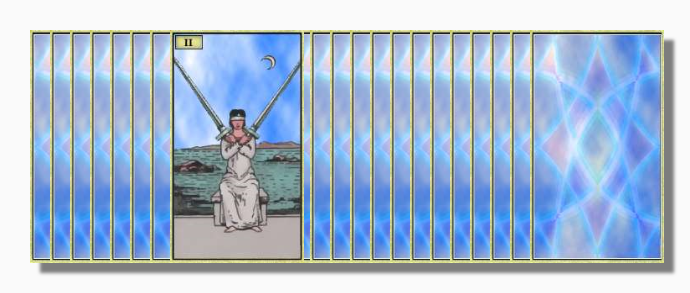
Free Selection Mode gives you a way to deal specific cards from the fanned out deck. You can go into Free Selection Mode by clicking Free Selection on the
main menu or pressing the F4 keyboard key. You deal a card by moving the mouse until the card you want is visible and then clicking on the top part of the deck or pressing your keyboard spacebar
in the normal way.
Tip: In Free Selection Mode you can also fan through the deck using the left and right arrow keys instead of the mouse, and deal a card with the up arrow key. Make sure that the deck
has the Focus before doing this.
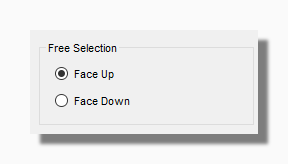
In Free Selection Mode you can also select where a card goes when you return it to the deck. You can also return a card to the deck face up or face down.
If you drop cards into the deck they will land either just before or just after the card that is showing at the time.
If you drop the card to the left it will land before the visible card, if you drop it to the right it will land after.
You can use the control key while positioning the card you are going to drop. This freezes the deck so the visible card does not change, which makes it easier to control where it is going to land.
In Free Selection Mode the cards appear face up by default. You can change this to deal "blind" by going to the Cards tab of the Options form.
Dealing a Spread in Free Selection
Sometimes you might want to deal out a spread knowing in advance which card you want in each spread position. You can do this in Free Selection Mode by choosing the spread you want to lay out
from your My Spreads menu in the normal way. When you do so a form like the following will appear:
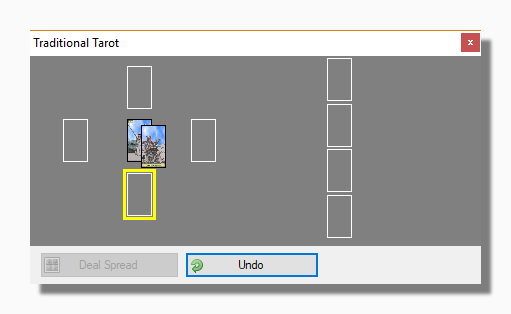
Click to deal any card in the fanned out deck and it will appear in the next free space in the spread, as indicated by the yellow rectangle. When the spread is complete you can deal it by pressing
the Deal Spread button. The spread will be laid out with the cards you have chosen and the usual pop-up notes etc. associated with each position.